
Why this matters for you
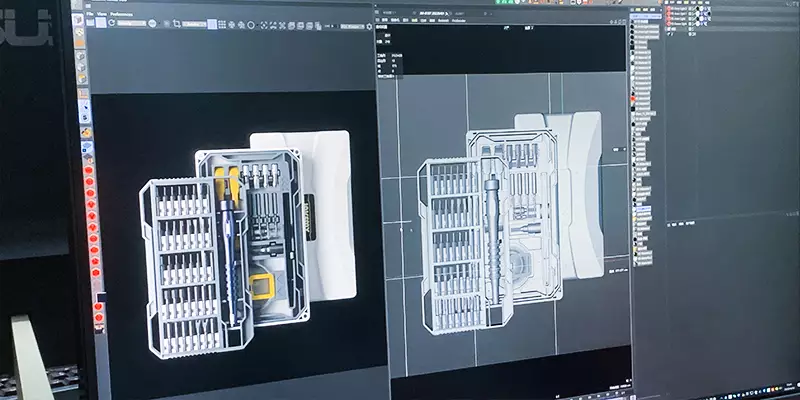
Most of us fix laptops, phones, and small electronics between meetings or on weekends. The right tool changes a 40-minute frustration into a 12-minute repair. If you want a practical starting point, the jakemy jm-8193 delivers a compact selection of precision driver bits, good handle ergonomics, and a tidy case so you spend time turning screws, not hunting parts. A quality computer screwdriver kit reduces slips, stripped heads, and wasted minutes during routine jobs.
Key features that actually affect speed and quality
Focus on features that change outcomes, not marketing fluff. Prioritize:
– Bit variety and fit: Genuine Phillips head and flathead bits sized to match common electronics screws. Exact fit reduces cam-out and stripped fasteners.
– Magnetic bit holder: Keeps tiny screws attached to the driver shaft so you don’t drop them into chassis recesses.
– Handle ergonomics and torque control: A textured grip with predictable torque makes controlled turns easier; you’ll avoid over-tightening fragile threads.
– Case and organization: Foam or labeled slots save time when switching bits on the bench.
Real-world anchor: why this isn’t just theoretical
Global electronics waste is a real pressure point—53.6 million metric tons of e-waste were generated in 2019 (Global E-waste Monitor). Better reparability at the technician level—faster, safer fixes—means fewer devices prematurely dumped. In repair shops from downtown San Francisco to community repair cafés, a compact, reliable set is a tangible way to keep devices in use. Tools like the earlier-linked set help reduce screw damage and speed repairs, which translates directly to fewer replacements and less waste.
How to use these sets efficiently (and common mistakes)
Start by matching the bit to the screw head before applying force. Use the magnetic tip for pick-up, then seat the driver fully before turning. Controlled torque beats brute force every time. A common error is overtightening motherboard or standoff screws; stop as soon as the head seats—thread damage is easy to create and costly to fix. Also use an anti-static wrist strap when you’re inside laptops or motherboards to protect sensitive components. —Practice gentle, deliberate turns rather than fast, wild cranking; the results are cleaner and faster overall.
Comparing this kit to alternatives
Most competing kits trade between bit count and portability. High-count kits offer specialty Torx, Pentalobe, and tri-wing bits useful for specific phone models, but they can be bulky. Value kits emphasize volume: more bits for less cost, but often with looser tolerances on bit geometry. Premium benches include torque-limiting drivers or hardened steel S2 bits that maintain fit longer. If your work is primarily laptop and PC repair, prioritize a compact set with durable Phillips and flathead bits, a magnetic bit holder, and a solid case—those features give the best balance of speed and longevity.
Three golden rules for choosing the right set
1) Fit first: choose a kit where the bits consistently seat in screw heads without wobble. Measurement: try a quick-fit test on three representative screws—no cam-out on a single firm turn.
2) Durability over extras: prefer hardened bit materials and a reliable magnetic holder over an inflated bit count. Expect consistent fit for at least dozens of repairs before bits show wear.
3) Workflow: the case and organization must match how you work. If you swap bits mid-repair, labeled slots and a magnetic mat or holder save minutes per job.
Experienced techs know that a dependable toolkit changes the rhythm of work; small investments in the right set reduce errors and speed up turnarounds. Jakemy. —Reliable tools, real results.